Is Brackeys Safe for Kids? Safety Score: A
@Brackeys · 1.9M subscribers · Graded May 12, 2026 · Based on 100 recent videos
@Brackeys · 1.9M subscribers · Graded May 12, 2026 · Based on 100 recent videos
This channel is highly recommended for older children and teens interested in learning game development, provided they have the focus for technical tutorials.
Best for ages 12-18+. Not recommended under age 10. Acceptable for 10+.
The content is technical and requires abstract thinking, making it unsuitable for younger children.
| Dimension | Score | Headline |
|---|---|---|
| Content Appropriateness | 25/25 | Content is appropriate, focusing on game development tutorials. |
| Shorts & Dopamine Factor | 23/25 | Minimal Shorts, primarily long-form educational content. |
| Age Clarity | 20/25 | Clearly targets teens and young adults interested in programming. |
| Educational Value | 25/25 | Highly educational, teaching game development and programming skills. |
Content is appropriate, focusing on game development tutorials.
The channel consistently provides tutorials on game development, such as "How to make VFX in Godot" and "How to make 3D Games in Godot." There are no indications of age-inappropriate themes, violence, sexual content, or manipulative tactics in the video titles or descriptions.
Minimal Shorts, primarily long-form educational content.
Only 3 out of the last 100 uploads are Shorts, making up 3.0% of recent content. The majority of videos are long-form tutorials, indicating a focus on in-depth learning rather than quick, addictive scrolling.
Clearly targets teens and young adults interested in programming.
The content, such as "How to program in Godot - GDScript Tutorial" and "How to Program in C# - Classes (E07)," is complex and requires a foundational understanding of logic and problem-solving, suitable for older children and teenagers. It is not designed for younger audiences.
Highly educational, teaching game development and programming skills.
This channel offers direct instruction in programming languages like GDScript and C#, and practical skills in game engine use. Videos like "How to make a Video Game - Godot Beginner Tutorial" provide structured learning objectives for aspiring game developers.
Brackeys is a YouTube channel dedicated to teaching game development and programming. It provides tutorials on using game engines like Godot and programming languages such as C# and GDScript. The content is structured to guide viewers through the process of creating video games.
Parents should know this channel offers valuable, in-depth technical education in game development, which can be a productive hobby or career path. The content is complex and requires sustained attention, making it suitable for children with a genuine interest in programming and game design.
This channel is highly recommended for older children and teens interested in learning game development, provided they have the focus for technical tutorials.
Encourage your child to follow along with the tutorials and build their own small projects to reinforce learning.
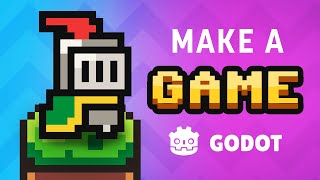 How to make a Video Game - Godot Beginner Tutorial
— Positive
How to make a Video Game - Godot Beginner Tutorial
— Positive
This video is an excellent starting point for beginners, offering a comprehensive introduction to game development with Godot.
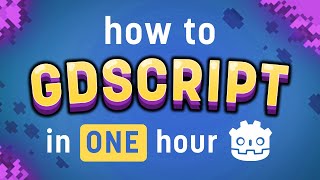 How to program in Godot - GDScript Tutorial
— Positive
How to program in Godot - GDScript Tutorial
— Positive
This tutorial provides foundational programming knowledge specific to the Godot engine, which is a valuable skill.
 GOODBYE - And thanks for everything!
— Neutral
GOODBYE - And thanks for everything!
— Neutral
This video marks a hiatus in the channel's activity, which parents should be aware of regarding content consistency, though new content has since resumed.
 How to MAKE YOUR GAME LOOK GOOD!
— Positive
How to MAKE YOUR GAME LOOK GOOD!
— Positive
This video offers practical advice on game aesthetics, complementing the technical programming tutorials.
VidCove's Channel Safety Grader analyzes the 100 most recent videos on Brackeys using Google Gemini, scoring four independent dimensions on a 0–25 scale:
Brackeys's Shorts ratio in this sample is 3% — roughly 3 of the 100 videos sampled were Shorts. Reports are regenerated when channel content changes materially or after 180 days have passed.
VidCove lets you approve every channel before your child sees it. No algorithm. No Shorts. No recommendations. Just the channels you trust. Free 7-day trial — no credit card required.