Is Programuj z DANIELO Safe for Kids? Safety Score: C+
@danieloroblox · 23K subscribers · Graded May 14, 2026 · Based on 54 recent videos
@danieloroblox · 23K subscribers · Graded May 14, 2026 · Based on 54 recent videos
I would let my older child watch this channel, especially if they show an interest in game development, as it provides constructive learning opportunities.
Best for ages 10-16 years. Not recommended under age 8. Acceptable for 8-18 years.
The technical nature of the content requires a certain level of understanding and focus, making it best for pre-teens and teenagers.
| Dimension | Score | Headline |
|---|---|---|
| Content Appropriateness | 20/25 | Content is generally appropriate, focusing on game development with some clickbait titles. |
| Shorts & Dopamine Factor | 20/25 | Low percentage of Shorts indicates a focus on longer, instructional content. |
| Age Clarity | 18/25 | Clearly targets older children and teens interested in game development. |
| Educational Value | 23/25 | High educational value, teaching programming and game design concepts. |
Content is generally appropriate, focusing on game development with some clickbait titles.
The channel primarily offers tutorials on Roblox game development, which is suitable for older children. Some video titles, such as "TWORZENIE GRAFIK DO GIER ROBLOX Z AI! *lepsze niż graficy – SZOK!*" and "JAK TWORZYĆ I SPRZEDAWAĆ ITEMY UGC W ROBLOX?! (ZARABIAJ ROBUX)" use sensational language that could be considered mild clickbait, but the content itself is not harmful.
Low percentage of Shorts indicates a focus on longer, instructional content.
With only 9.3% of recent uploads being Shorts, this channel prioritizes longer-form instructional videos. This pattern suggests less emphasis on quick, attention-grabbing content and more on detailed tutorials, which is beneficial for focused learning.
Clearly targets older children and teens interested in game development.
The content, particularly the Roblox Studio and Scratch tutorials, is complex and requires a certain level of cognitive development, making it suitable for children aged 10 and up. The language and concepts discussed are not geared towards younger children, ensuring a focused audience.
High educational value, teaching programming and game design concepts.
The channel offers clear, step-by-step tutorials on game development using Roblox Studio and Scratch, as seen in videos like "JAK DODAĆ SYSTEM PETÓW DO GRY? 🐶" and "JAK ZROBIĆ SKLEP Z PRZEDMIOTAMI W GRZE ROBLOX? 🎇". These videos teach practical coding and design skills, fostering creativity and problem-solving.
This channel provides tutorials on how to create games using platforms like Roblox Studio and Scratch. It is designed for children and teenagers who are interested in learning basic programming and game design principles. The content is primarily instructional, guiding viewers through various development processes.
Parents should know that this channel offers valuable educational content for children interested in coding and game creation. While some titles use sensational language, the actual video content is focused on teaching practical skills. It encourages active learning rather than passive consumption.
I would let my older child watch this channel, especially if they show an interest in game development, as it provides constructive learning opportunities.
Encourage your child to follow along with the tutorials and try building their own small projects to reinforce learning.
 JAK DODAĆ SYSTEM PETÓW DO GRY? 🐶 (jajka, mnożniki, ekwipunek, drop) | Pordnik Roblox Studio (AZSS13)
— Positive
JAK DODAĆ SYSTEM PETÓW DO GRY? 🐶 (jajka, mnożniki, ekwipunek, drop) | Pordnik Roblox Studio (AZSS13)
— Positive
This video provides a detailed tutorial on a specific game development feature, offering clear educational value.
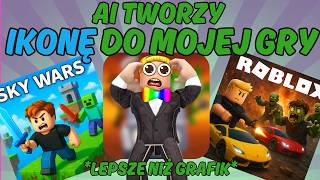 TWORZENIE GRAFIK DO GIER ROBLOX Z AI! *lepsze niż graficy – SZOK!*
— Concern
TWORZENIE GRAFIK DO GIER ROBLOX Z AI! *lepsze niż graficy – SZOK!*
— Concern
The title uses sensational language like "*lepsze niż graficy – SZOK!*" which is a mild form of clickbait, though the content itself is instructional.
 JAK TWORZYĆ I SPRZEDAWAĆ ITEMY UGC W ROBLOX?! (ZARABIAJ ROBUX)
— Neutral
JAK TWORZYĆ I SPRZEDAWAĆ ITEMY UGC W ROBLOX?! (ZARABIAJ ROBUX)
— Neutral
This video teaches how to create and sell items for Robux, which can be a positive skill but also introduces concepts of in-game monetization.
 PUNKTY, GRAWITACJA I ŻYCIA! ♥️⬇ CZYLI ZMIENNE W SCRACTCHU | Poradnik - Scratch od zera do mastera #5
— Positive
PUNKTY, GRAWITACJA I ŻYCIA! ♥️⬇ CZYLI ZMIENNE W SCRACTCHU | Poradnik - Scratch od zera do mastera #5
— Positive
This video is part of a series teaching Scratch, a visual programming language, which is excellent for introducing younger children to coding concepts.
 GRAMY W GRY WIDZÓW NA ŻYWO! 🔴 ROBLOX | KONKURS
— Neutral
GRAMY W GRY WIDZÓW NA ŻYWO! 🔴 ROBLOX | KONKURS
— Neutral
This live stream involves playing games created by viewers, which can be engaging but also introduces live chat interactions and potential exposure to unmoderated content.
VidCove's Channel Safety Grader analyzes the 54 most recent videos on Programuj z DANIELO using Google Gemini, scoring four independent dimensions on a 0–25 scale:
Programuj z DANIELO's Shorts ratio in this sample is 9% — roughly 5 of the 54 videos sampled were Shorts. Reports are regenerated when channel content changes materially or after 180 days have passed.
VidCove lets you approve every channel before your child sees it. No algorithm. No Shorts. No recommendations. Just the channels you trust. Free 7-day trial — no credit card required.