
Is griffpatch Safe for Kids? Safety Score: A-
@griffpatch · 491K subscribers · Graded May 12, 2026 · Based on 100 recent videos
@griffpatch · 491K subscribers · Graded May 12, 2026 · Based on 100 recent videos
This is a safe and highly recommended channel for children interested in learning to code, particularly with Scratch.
Best for ages 8-14 years. Not recommended under age 7. Acceptable for 7-16 years.
The content is best suited for children who can follow multi-step instructions and understand basic logical concepts, typically starting around age 8.
| Dimension | Score | Headline |
|---|---|---|
| Content Appropriateness | 25/25 | Content is consistently appropriate, focusing on coding tutorials and game showcases. |
| Shorts & Dopamine Factor | 20/25 | Low Shorts percentage, but some short-form content is present. |
| Age Clarity | 20/25 | Clearly targets children and teens interested in coding with Scratch. |
| Educational Value | 25/25 | Highly educational, teaching fundamental programming concepts through practical examples. |
Content is consistently appropriate, focusing on coding tutorials and game showcases.
All recent videos, such as Clone vs Stamp: Which Trail Method is Better? and Build health bars in scratch, are focused on Scratch programming and game development. There are no indications of violence, sexual content, scary imagery, or manipulative tactics. The channel maintains a clear, instructional tone.
Low Shorts percentage, but some short-form content is present.
Only 5% of the last 100 uploads are Shorts, indicating a strong preference for longer, more detailed tutorials. While some videos like Clone vs Stamp: Which Trail Method is Better? are short, they are instructional rather than quick entertainment clips. The upload frequency is not designed to maximize addictive scrolling.
Clearly targets children and teens interested in coding with Scratch.
The content, language, and topics like How Pro Game Devs Handle Mobile Controls and Grid Snapping Basics Every Scratch Programmer Needs are specifically tailored for young people learning to code. The channel's focus on Scratch, a visual programming language, indicates it is for a younger audience, likely elementary to middle school age.
Highly educational, teaching fundamental programming concepts through practical examples.
The channel provides direct instruction on coding principles using Scratch, as seen in videos like 2D Rotation in Scratch explained simply! and The BEST Way to Display Large Numbers in Scratch. It fosters computational thinking and problem-solving skills by breaking down complex ideas into understandable steps.
This channel teaches children and teens how to code using Scratch, a visual programming language. It offers tutorials on game development, animation, and various programming concepts. The content is designed to be instructional and project-based.
Parents should know that this channel provides high-quality, direct instruction in computer programming, which can be a valuable skill for children. The content is focused on practical application, encouraging active learning rather than passive consumption.
This is a safe and highly recommended channel for children interested in learning to code, particularly with Scratch.
Encourage your child to follow along with the tutorials and try building their own projects in Scratch, rather than just watching the videos.
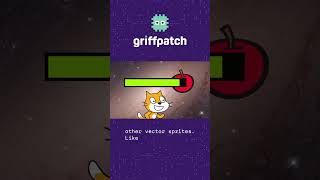 Build health bars in scratch
— Positive
Build health bars in scratch
— Positive
This video demonstrates a practical game development technique, teaching efficient coding methods for a common game element.
 How Pro Game Devs Handle Mobile Controls #tutorial #scratch
— Positive
How Pro Game Devs Handle Mobile Controls #tutorial #scratch
— Positive
This tutorial introduces important concepts of user interface design and cross-platform compatibility, relevant for modern game development.
 Grid Snapping Basics Every Scratch Programmer Needs
— Positive
Grid Snapping Basics Every Scratch Programmer Needs
— Positive
This video teaches a fundamental programming technique used in many games, helping children understand spatial organization and logic in coding.
 2D Rotation in Scratch explained simply!
— Positive
2D Rotation in Scratch explained simply!
— Positive
This video breaks down a complex mathematical concept (2D rotation) into an understandable programming application, enhancing computational thinking.
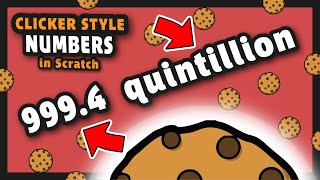 The BEST Way to Display Large Numbers in Scratch
— Positive
The BEST Way to Display Large Numbers in Scratch
— Positive
This tutorial addresses a common programming challenge, teaching efficient data handling and mathematical formatting for game mechanics.
VidCove's Channel Safety Grader analyzes the 100 most recent videos on griffpatch using Google Gemini, scoring four independent dimensions on a 0–25 scale:
griffpatch's Shorts ratio in this sample is 5% — roughly 5 of the 100 videos sampled were Shorts. Reports are regenerated when channel content changes materially or after 180 days have passed.
VidCove lets you approve every channel before your child sees it. No algorithm. No Shorts. No recommendations. Just the channels you trust. Free 7-day trial — no credit card required.