Is Learn Coding Safe for Kids? Safety Score: B
@learncodingofficial · 2.4M subscribers · Graded November 20, 2026 · Based on 100 recent uploads
This channel is suitable for older children and teenagers with an interest in technology and coding, provided they have the foundational understanding to engage with the material.
Best for ages 13+. Not recommended under age 10. Acceptable for 10-12 (with supervision).
The technical nature of the content makes it most suitable for teenagers and older, though some introductory computer concepts might be accessible to younger children with adult guidance.
| Dimension | Score | Headline |
|---|---|---|
| Content Appropriateness | 25/25 | Content is appropriate for learning, free of concerning themes. |
| Shorts & Dopamine Factor | 20/25 | Primarily long-form educational content, minimal Shorts. |
| Age Clarity | 15/25 | Targets older students and adults, some content for younger learners. |
| Educational Value | 25/25 | High educational value, teaching practical computer science and programming skills. |
Content is appropriate for learning, free of concerning themes.
The channel focuses on programming and computer science topics like 'Introduction To Java Programming' and 'How To Setup Python In Visual Studio Code'. There is no evidence of age-inappropriate themes, violence, or misleading content in the video titles or descriptions provided.
Primarily long-form educational content, minimal Shorts.
With only 3 Shorts out of the last 100 uploads, representing 3.0% of recent content, this channel prioritizes in-depth, long-form educational videos. This structure is less likely to encourage addictive scrolling behavior compared to channels heavily reliant on Shorts.
Targets older students and adults, some content for younger learners.
The channel's primary focus on programming languages like Java, Python, and web development frameworks suggests an audience of high school age and above. However, videos like 'Computer Class Day #1 | Introduction To Computer' are explicitly stated as 'perfect for school students, beginners,' indicating some content is suitable for younger, but still school-aged, children.
High educational value, teaching practical computer science and programming skills.
This channel provides clear, structured lessons on programming languages, web development, and fundamental computer concepts. Videos such as 'Node JS Full Course - Complete Backend' and 'Learn HTML5, CSS3 & JavaScript in One Shot' offer comprehensive learning objectives and practical examples, fostering valuable technical skills.
This channel provides educational content focused on computer programming and fundamental computer science concepts. It offers tutorials and full courses on various programming languages and web development technologies. The content is designed for learners interested in acquiring technical skills.
Parents should understand that while the content is highly educational, much of it is advanced and geared towards older students or adults learning to code. Some introductory computer science videos may be accessible to younger school-aged children, but direct supervision might be needed for comprehension.
This channel is suitable for older children and teenagers with an interest in technology and coding, provided they have the foundational understanding to engage with the material.
If your child is interested in coding, review specific video titles and descriptions to match their current understanding and learning goals.
 Introduction To Java Programming | Learn Coding
— Positive
This video represents the core educational offering, providing a structured introduction to a programming language.
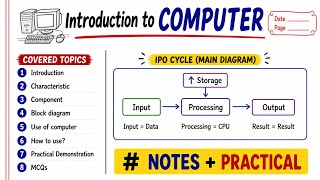 Computer Class Day #1 | Introduction To Computer | Learn Coding
— Positive
This video is explicitly designed for beginners and school students, making it a good starting point for younger learners interested in basic computer concepts.
 Learn HTML5, CSS3 & JavaScript in One Shot | WEB DEVELOPMENT
— Positive
This is a comprehensive, very long-form video offering a full course, demonstrating the channel's commitment to in-depth education.
 Working on CSS Course #coding #shorts #learncoding #css
— Neutral
This short video is a promotional piece for upcoming content, which is common but not directly educational itself.
VidCove uses AI to assess titles and descriptions from up to 20 recent videos, along with upload patterns such as Shorts across up to 100 recent uploads. It can miss context or make mistakes. Use the report to help you decide what is right for your child.
This report uses titles and descriptions from up to 20 recent videos on Learn Coding and upload patterns from 100 recent uploads.
The grader scores four dimensions on a 0–25 scale, then combines them into a weighted score out of 100: content appropriateness (40%), Shorts patterns (25%), age clarity (25%), and educational value (10%). That overall score determines the letter grade.
Learn Coding's Shorts ratio in this sample is 3% — roughly 3 of the 100 videos sampled were Shorts. Reports are regenerated when channel content changes materially or after 180 days have passed.
VidCove lets you approve every channel before your child sees it. No algorithm. No Shorts. No recommendations. Just the channels you trust. Free 7-day trial.