Is LearnFree Safe for Kids? Safety Score: C
@learnfree_skills · 1.2M subscribers · Graded September 24, 2026 · Based on 100 recent videos
@learnfree_skills · 1.2M subscribers · Graded September 24, 2026 · Based on 100 recent videos
This channel is safe and educational for its intended audience. I would let an older child or teenager watch this if they needed to learn specific software skills, but not for general entertainment.
Best for ages 14+. Not recommended under age 12. Acceptable for 12+.
The content's complexity and focus on productivity software make it suitable for teenagers and adults.
| Dimension | Score | Headline |
|---|---|---|
| Content Appropriateness | 25/25 | Content is appropriate for all ages, focusing on practical computer skills. |
| Shorts & Dopamine Factor | 10/25 | High percentage of Shorts may encourage passive viewing and scrolling. |
| Age Clarity | 15/25 | Content targets adults and older teens, not specifically young children. |
| Educational Value | 20/25 | Provides clear, practical instruction on essential computer and software skills. |
Content is appropriate for all ages, focusing on practical computer skills.
The channel's videos, such as "Excel Wrap Text: Fix Long Text in Cells Easily!" and "Google Docs Voice Typing: Type With Your Voice," are instructional and contain no inappropriate themes, violence, or misleading content. The focus is entirely on software and computer usage tutorials.
High percentage of Shorts may encourage passive viewing and scrolling.
With 73% of recent uploads being Shorts, the channel leans heavily into short-form content. While many Shorts link to longer videos, this format can contribute to a scrolling habit rather than focused learning.
Content targets adults and older teens, not specifically young children.
The topics, like "Master PowerPoint Animations" and "Excel Format Painter Explained," are too complex for young children. The instructional style is direct and suitable for older learners, but not tailored for early childhood development.
Provides clear, practical instruction on essential computer and software skills.
Videos like "Add Videos to PowerPoint Without Leaving Your Presentation" and "Google Docs Voice Typing: Type With Your Voice" offer step-by-step guides for using common software. The channel teaches useful digital literacy skills directly.
This channel provides tutorials on computer software and basic tech maintenance. It focuses on practical skills for programs like Excel, PowerPoint, Google Docs, and general computer care. The content is designed for individuals looking to improve their digital literacy.
Parents should understand that while the content is entirely safe, it is not designed for young children. The topics are geared towards adults or older teenagers who need to learn specific computer skills for school or work.
This channel is safe and educational for its intended audience. I would let an older child or teenager watch this if they needed to learn specific software skills, but not for general entertainment.
If your older child needs to learn a specific software skill, search this channel for a relevant tutorial, but be aware of the high volume of Shorts.
 Excel Wrap Text: Fix Long Text in Cells Easily!
— Positive
Excel Wrap Text: Fix Long Text in Cells Easily!
— Positive
This video provides a clear, concise tutorial on a practical Excel function, demonstrating the channel's educational intent.
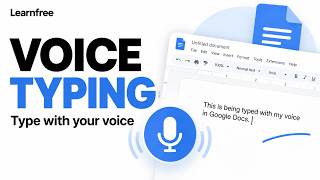 Google Docs Voice Typing: Type With Your Voice
— Positive
Google Docs Voice Typing: Type With Your Voice
— Positive
This longer-form video offers a detailed, beginner-friendly guide to a useful productivity tool, showcasing the channel's instructional quality.
 Easy YouTube Bookmarks: Jump to Key Video Moments!
— Neutral
Easy YouTube Bookmarks: Jump to Key Video Moments!
— Neutral
This Short provides a quick tip for YouTube itself, which is relevant but also contributes to the high Shorts count.
 Are USB Drives Still Relevant Today? 💾 Here’s How to Use One
— Positive
Are USB Drives Still Relevant Today? 💾 Here’s How to Use One
— Positive
This video covers a basic but important digital literacy topic, explaining the utility and use of USB drives.
VidCove's Channel Safety Grader analyzes the 100 most recent videos on LearnFree using Google Gemini, scoring four independent dimensions on a 0–25 scale:
LearnFree's Shorts ratio in this sample is 73% — roughly 73 of the 100 videos sampled were Shorts. Reports are regenerated when channel content changes materially or after 180 days have passed.
VidCove lets you approve every channel before your child sees it. No algorithm. No Shorts. No recommendations. Just the channels you trust. Free 7-day trial — no credit card required.