Is Reallusion Safe for Kids? Safety Score: D+
@reallusion · 250K subscribers · Graded September 16, 2026 · Based on 100 recent videos
@reallusion · 250K subscribers · Graded September 16, 2026 · Based on 100 recent videos
I would not let my child watch this channel. It is not harmful, but it offers no relevant value or entertainment for a child.
Best for ages 18+. Not recommended under age 16. Acceptable for 16+.
The content is highly technical and specific to professional 3D software, making it suitable only for older teens and adults with an interest in this field.
| Dimension | Score | Headline |
|---|---|---|
| Content Appropriateness | 25/25 | Content is professional, technical, and entirely appropriate for all ages. |
| Shorts & Dopamine Factor | 15/25 | A significant portion of content is Shorts, but not designed for child addiction. |
| Age Clarity | 5/25 | Channel content is highly specialized and not intended for children. |
| Educational Value | 20/25 | High educational value for adults learning 3D animation and software. |
Content is professional, technical, and entirely appropriate for all ages.
The videos, such as "What’s New in RTX Render" and "Bring your stylized characters to life with 800+ ActorCore handkey motions!", focus on software features and 3D animation techniques, containing no inappropriate themes, violence, or scary imagery. The content is technical and geared towards adult professionals or serious hobbyists.
A significant portion of content is Shorts, but not designed for child addiction.
43% of the recent uploads are Shorts, which is a high percentage. However, these Shorts are typically brief demonstrations or promotional clips for complex software, like "Your 3D character's face looks great head-on", and are unlikely to create addictive scrolling behavior in children due to their technical nature.
Channel content is highly specialized and not intended for children.
The channel clearly targets professional 3D artists and developers, as seen in titles like "Live Link Workflow Updates for MetaHuman Characters in Unreal Engine 5.8 | UE Workflow Tutorial" and descriptions mentioning 'indie developers' and 'freelance 3D artists'. The complexity and technical jargon make it unsuitable for children.
High educational value for adults learning 3D animation and software.
Videos like "My First CC5 Project | Character Creator 5 Tutorial" and "Mastering Stylized Characters with Character Creator 5 Headshot 3 AccuFACE 2" offer in-depth tutorials on 3D character creation, animation, and software workflows. This content provides valuable skills training for its intended adult audience.
This channel provides tutorials, updates, and demonstrations for 3D animation and character creation software. It is aimed at professionals and serious hobbyists in the 3D art and game development fields. The content is highly technical and specific to Reallusion's software ecosystem.
Parents should understand that this channel is not designed for children. While the content is not harmful, it is complex software instruction that would be incomprehensible and unengaging for young viewers. It is purely for adult learning and professional development.
I would not let my child watch this channel. It is not harmful, but it offers no relevant value or entertainment for a child.
If your older teen is interested in 3D animation, review a few videos together to ensure the technical depth matches their skill level and interest before allowing unsupervised viewing.
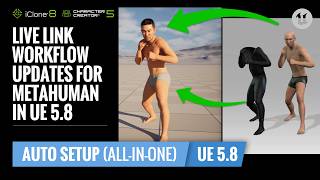 Live Link Workflow Updates for MetaHuman Characters in Unreal Engine 5.8 | UE Workflow Tutorial
— Neutral
Live Link Workflow Updates for MetaHuman Characters in Unreal Engine 5.8 | UE Workflow Tutorial
— Neutral
This video exemplifies the highly technical and professional nature of the channel's content, focusing on advanced software integration.
 My First CC5 Project | Character Creator 5 Tutorial
— Positive
My First CC5 Project | Character Creator 5 Tutorial
— Positive
This tutorial demonstrates the channel's educational value for its target audience, providing step-by-step instruction on 3D character creation.
 What’s New in RTX Render
— Neutral
What’s New in RTX Render
— Neutral
This short video showcases a software feature update, illustrating the channel's focus on product demonstrations rather than child-friendly entertainment.
 Mastering Stylized Characters with Character Creator 5 Headshot 3 AccuFACE 2
— Positive
Mastering Stylized Characters with Character Creator 5 Headshot 3 AccuFACE 2
— Positive
This longer video provides in-depth instruction, highlighting the channel's commitment to teaching complex 3D art techniques to its adult audience.
VidCove's Channel Safety Grader analyzes the 100 most recent videos on Reallusion using Google Gemini, scoring four independent dimensions on a 0–25 scale:
Reallusion's Shorts ratio in this sample is 43% — roughly 43 of the 100 videos sampled were Shorts. Reports are regenerated when channel content changes materially or after 180 days have passed.
VidCove lets you approve every channel before your child sees it. No algorithm. No Shorts. No recommendations. Just the channels you trust. Free 7-day trial — no credit card required.