Is Techy Druid Safe for Kids? Safety Score: B
@techydruid · 226K subscribers · Graded May 13, 2026 · Based on 100 recent videos
@techydruid · 226K subscribers · Graded May 13, 2026 · Based on 100 recent videos
I would let my older teenager watch this if they are interested in learning about computers and IT, but it is not suitable for younger children.
Best for ages 14-18+. Not recommended under age 13. Acceptable for 13+.
The content requires a level of technical understanding and problem-solving skills typically developed in adolescence or later.
| Dimension | Score | Headline |
|---|---|---|
| Content Appropriateness | 25/25 | Content is technical and free from inappropriate themes or manipulative tactics. |
| Shorts & Dopamine Factor | 24/25 | Primarily long-form content, minimal Shorts, reducing addictive scrolling risk. |
| Age Clarity | 10/25 | Content is highly technical, not suitable for young children. |
| Educational Value | 25/25 | High educational value for those interested in computer systems and IT. |
Content is technical and free from inappropriate themes or manipulative tactics.
The channel focuses on computer operating systems, software, and hardware, as seen in videos like "Install Windows 11/10 using an Ethernet Cable" and "How to Play PS3 Games on PC [RPCS3 Emulator]". There is no evidence of violence, sexual content, scary imagery, or misleading clickbait in the titles or descriptions provided.
Primarily long-form content, minimal Shorts, reducing addictive scrolling risk.
With only 1 Short out of the last 100 uploads, the channel's content is overwhelmingly long-form (99%). This pattern suggests an intentional focus on detailed tutorials rather than quick, attention-grabbing clips, which is less likely to encourage addictive scrolling behavior.
Content is highly technical, not suitable for young children.
The topics, such as "Enable TPM 2.0 & Secure Boot in BIOS for Windows 11" and "Transfer Files Between Two PCs over LAN or WiFi (using SFTP)", are complex and require a foundational understanding of computer systems. This content is clearly aimed at teenagers and adults with an interest in IT, not younger children.
High educational value for those interested in computer systems and IT.
The channel provides clear, step-by-step tutorials on various technical subjects, such as installing operating systems, managing drivers, and optimizing PC performance. Videos like "How to Install Linux Mint on PC or Laptop ✅ Beginner's Guide" offer practical skills and knowledge in computer literacy.
This channel provides technical tutorials on computer hardware, software, and operating systems. It covers topics like Windows installation, Linux setup, and PC optimization. The content is designed for individuals looking to understand and manage their computer systems.
Parents should know that this channel is highly technical and not intended for young children. While the content is safe, its complexity means it will likely only be engaging and understandable for older teenagers or adults with a specific interest in IT.
I would let my older teenager watch this if they are interested in learning about computers and IT, but it is not suitable for younger children.
If your teenager shows interest in computer science or IT, consider watching a few videos with them to gauge their understanding and interest level.
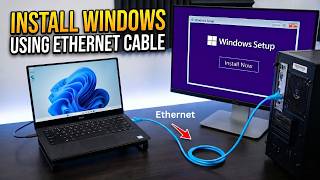 Install Windows 11/10 using an Ethernet Cable
— Positive
Install Windows 11/10 using an Ethernet Cable
— Positive
This video demonstrates a practical, advanced method for installing an operating system, offering valuable technical knowledge.
 How to Play PS3 Games on PC [RPCS3 Emulator]
— Neutral
How to Play PS3 Games on PC [RPCS3 Emulator]
— Neutral
This video explains how to use an emulator, which is a common technical topic for PC users, but may involve downloading software from third-party sources.
 Watch YouTube on Android Auto in any Car (Android 15 & 16+)
— Concern
Watch YouTube on Android Auto in any Car (Android 15 & 16+)
— Concern
While technically instructional, enabling video playback on a car screen via Android Auto could be a distraction for drivers and raises safety concerns if used while driving.
 How to Install Linux Mint on PC or Laptop ✅ Beginner's Guide
— Positive
How to Install Linux Mint on PC or Laptop ✅ Beginner's Guide
— Positive
This video provides a clear, beginner-friendly guide to installing an alternative operating system, fostering computer literacy.
 How to Remove Copilot & AI Features in Windows 11
— Positive
How to Remove Copilot & AI Features in Windows 11
— Positive
This video offers practical advice on managing system resources and privacy settings related to new AI features in Windows, which is a relevant and useful skill.
VidCove's Channel Safety Grader analyzes the 100 most recent videos on Techy Druid using Google Gemini, scoring four independent dimensions on a 0–25 scale:
Techy Druid's Shorts ratio in this sample is 1% — roughly 1 of the 100 videos sampled were Shorts. Reports are regenerated when channel content changes materially or after 180 days have passed.
VidCove lets you approve every channel before your child sees it. No algorithm. No Shorts. No recommendations. Just the channels you trust. Free 7-day trial — no credit card required.