ViewPure shut down. Here's what I use to share YouTube videos now.
ViewPure quietly stopped working in early 2026. For teachers and parents who relied on it, this is an honest map of what actually works as a replacement, ranked by how well it does the job.
I'm Austin. I'm a parent of two and the founder of VidCove. I'm also not a teacher, but I've heard from enough of them in the last few months to know that when ViewPure quietly stopped working in early 2026, a lot of classrooms got worse overnight.
If you don't recognize the name: ViewPure was the free tool a generation of teachers used to "purify" a YouTube link. Paste a URL, get back a clean version of the video with no ads, no recommendations sidebar, no autoplay to whatever the algorithm picked next. For most teachers, it was the difference between using YouTube in class and giving up on YouTube in class.
It went down at the worst possible time. YouTube Shorts has metastasized into every corner of the platform. The recommendation algorithm has gotten more aggressive, not less. And in January 2026, YouTube rolled out new "parental controls" that mostly help parents of teens with supervised accounts and do almost nothing for the kid sitting in a fourth-grade classroom watching a science video on the smartboard.
So this post is for two groups of people:
- Teachers who used ViewPure and need a working replacement
- Parents who want to share a specific YouTube video with their kid (or text it to grandma, or AirDrop it to a tablet) without sending the algorithm along with it
I'll cover what's actually working in 2026, what to avoid, and where each option falls short. At the end I'll mention the tool we built, but the rest of this is just an honest map of what's out there.
Quick context: why "just send the YouTube link" stopped being okay
If you're a teacher reading this, you don't need this section. Skip down to the comparison.
If you're a parent: a regular YouTube link doesn't just deliver a video. It delivers a pre-roll ad you can't preview, sometimes for things you really don't want a kid to see. A "more videos" grid the second the video ends, picked by an algorithm optimized to keep the viewer scrolling. A Shorts shelf that didn't exist five years ago and now appears almost everywhere on the platform. A comments section. An autoplay default that takes the viewer to the next algorithmic pick if they don't intervene in time.
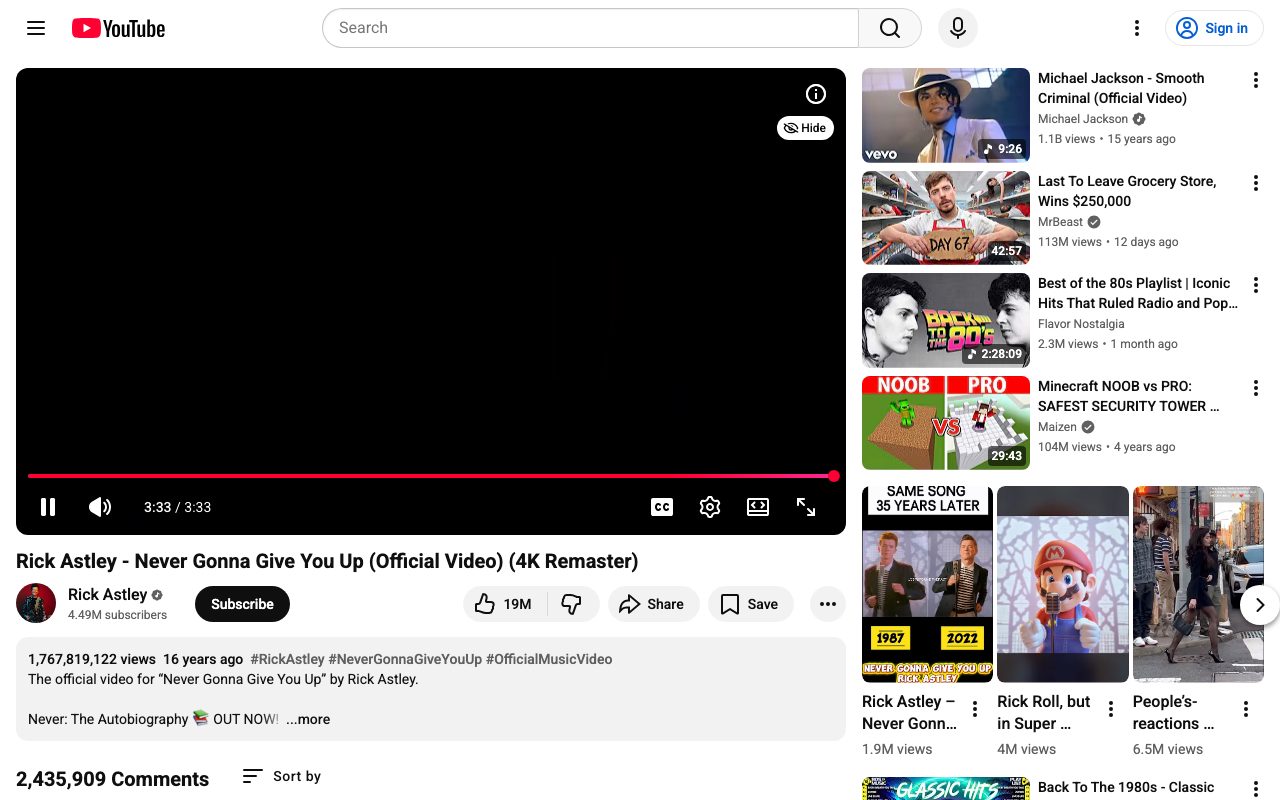
For most adults watching most videos, this is a minor annoyance. For a child watching alone, or a classroom of thirty kids watching together, it's a recipe for the exact outcome you were trying to avoid by carefully picking the video in the first place.
ViewPure solved this. Then it stopped solving it. Hence this post.
The current options, ranked by what they actually do
Here's the honest landscape as of 2026:
1. SafeShare.tv
What it is: The biggest paid alternative. Around since 2009. Used by ~10 million people including 1,000+ schools according to their site.
What works: It does the core job. Paste a URL, get a clean link, share it. The trim feature is useful when you only want to show 30 seconds of a longer video.
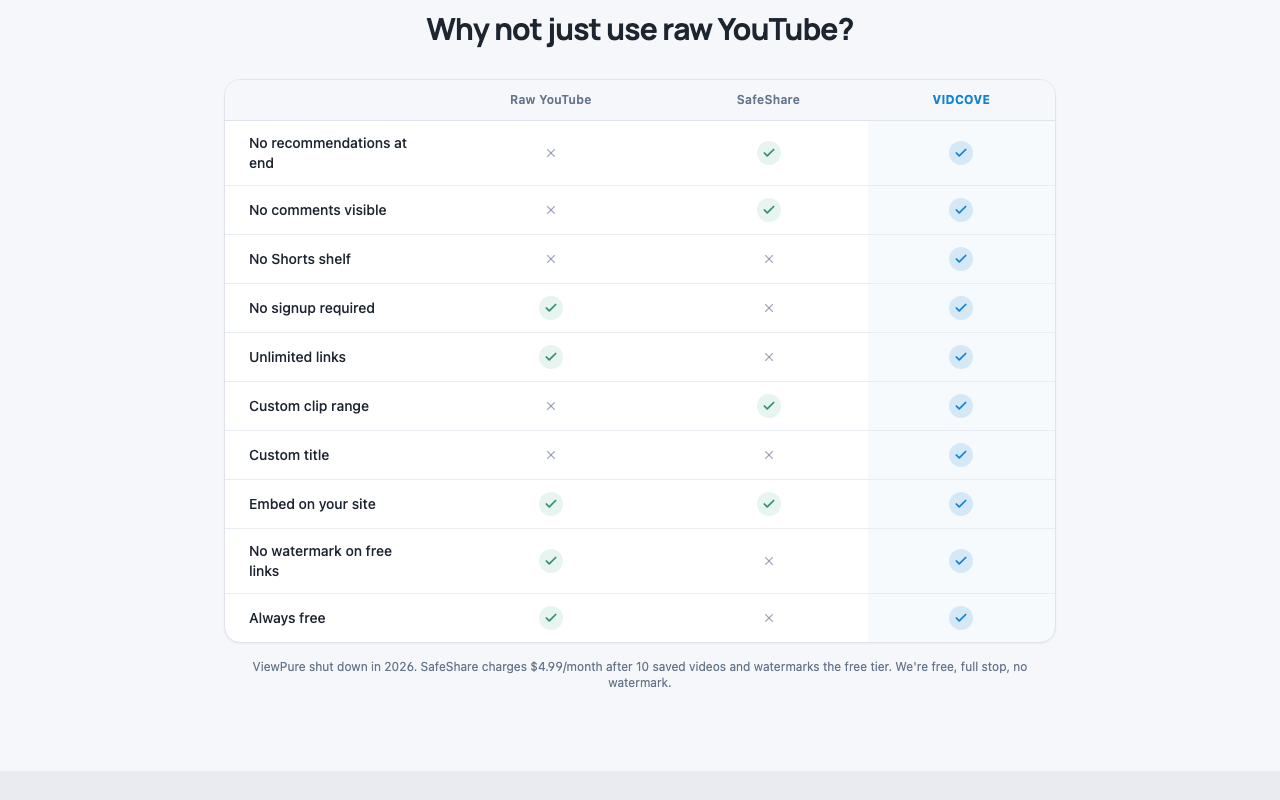
What doesn't: Reviews on Capterra and GetApp are full of frustration with the same things. The free tier caps you at ten saved videos, which means teachers using it daily are constantly deleting old links to make room for new ones. The transition from "free tool teachers loved" to "$4.99/month per teacher" left a lot of resentment, and most schools won't reimburse the cost. Several teachers I've talked to describe the interface as "clunky," a word that comes up a lot in the public reviews too.
Best for: Teachers who only need to share a few videos a year and don't mind the deletion churn, or schools that will pay for an organization plan.
2. video.link (formerly VideoLink, now migrating to Clipwise)
What it is: Another paste-the-URL tool. Includes a bookmarklet so you can convert a video while you're already on YouTube.
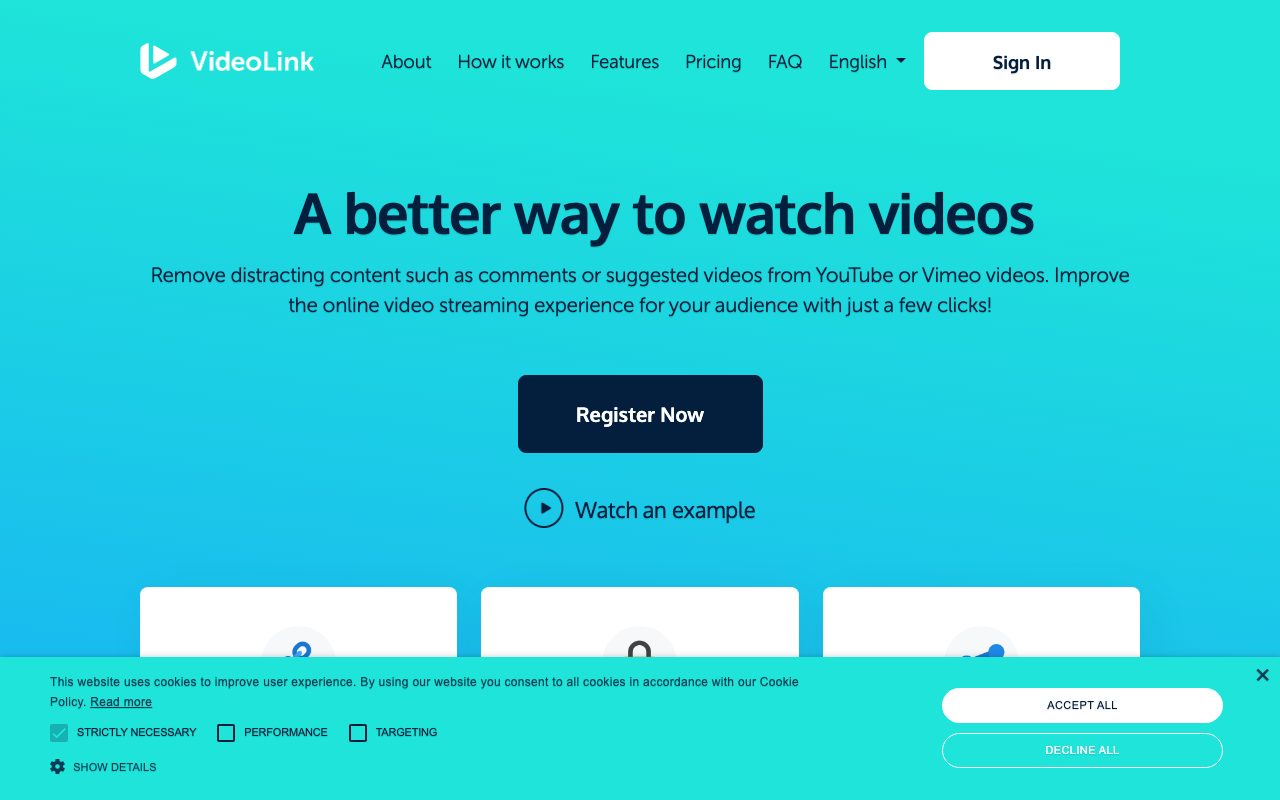
What works: The bookmarklet is genuinely nice. One click on YouTube, redirected to a clean version. Supports Vimeo too, which a few of these don't.
What doesn't: They're in the middle of migrating to a new product called Clipwise, which has caused some confusion. The free tier exists but is similarly limited.
Best for: Teachers who do a lot of their video-finding on YouTube itself and want a one-click workflow.
3. Watchkin
What it is: A search-plus-purify tool. You can search for videos through Watchkin's interface and only get family-friendly results.
What works: The "search with safer results" angle is unique. The bookmarklet works.
What doesn't: The interface feels older. The family-friendly filtering is community-flagging based, which means it's only as good as the flag queue.
Best for: Teachers who want to discover videos through a safer search interface, not just clean up videos they've already found.
4. The "add a hyphen to YouTube" trick
What it is: Take a YouTube URL and insert a hyphen so youtube.com becomes yout-ube.com. The browser routes the video through a different YouTube interface that strips the chrome.
What works: Free. Zero signup. Takes two seconds.
What doesn't: YouTube has changed this behavior multiple times. Sometimes it works, sometimes it doesn't, sometimes it works partially. Not something to rely on if you're projecting in front of thirty kids.
Best for: A backup when nothing else works and you need to share something right now.
5. Embedding the video in a Google Slide
What it is: Insert the YouTube video into a Google Slide and present from there.
What works: Slides plays the video without YouTube's chrome, no recommendations at the end, no comments. Free, and almost every teacher already uses Slides.
What doesn't: It works for projecting in class, but you can't easily share the slide as a link to students for individual viewing without giving them the whole slide deck.
Best for: In-class projection. (For sharing to students individually, you need an actual safe-link tool.)
6. YouTube Premium
What it is: Pay YouTube to remove ads.
What works: No ads.
What doesn't: Doesn't remove recommendations, doesn't remove Shorts, doesn't remove the comments section, doesn't remove the algorithm. Costs $14/month. Solves a small slice of the actual problem.
Best for: People whose only complaint is the ads.
7. VidCove Safe Link (the tool we built)
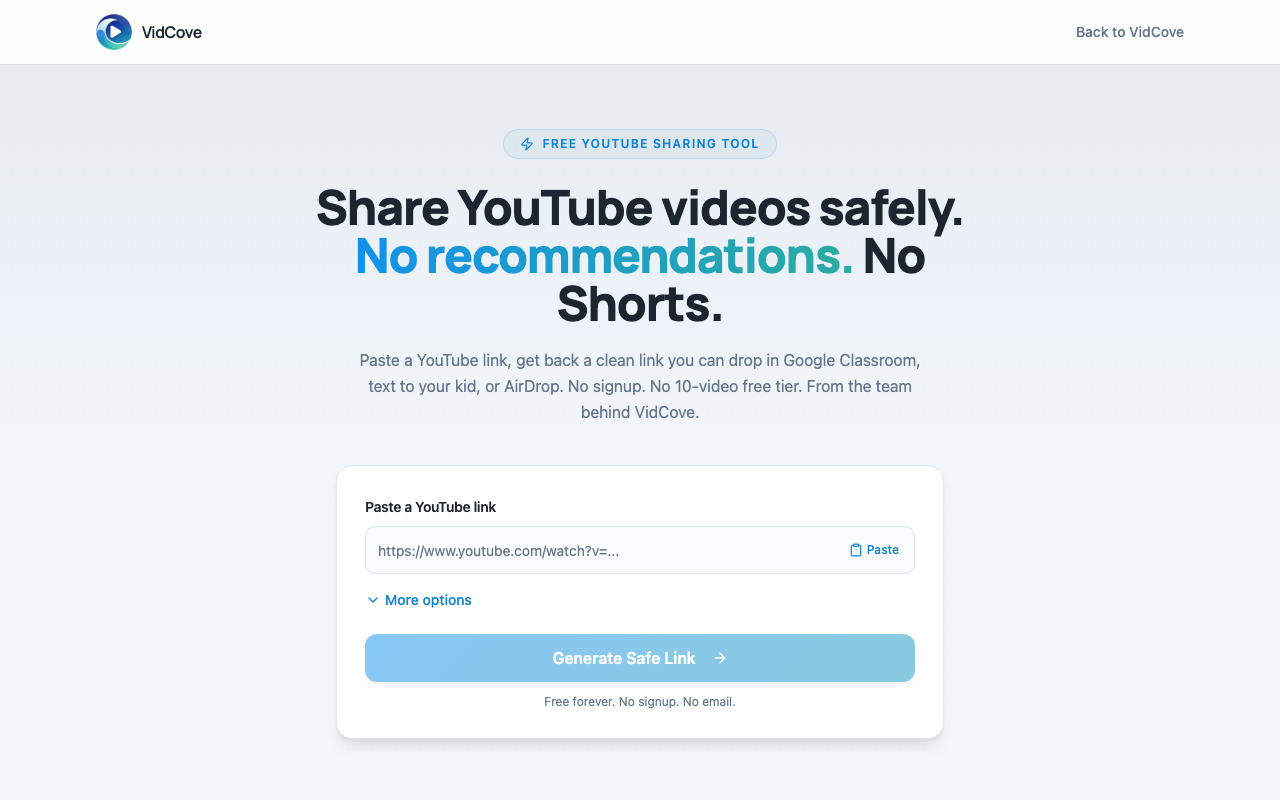
What it is: A free tool we built at VidCove because ViewPure's death left a hole and SafeShare's pricing left a lot of teachers stuck. Paste a YouTube URL, get a clean shareable link, optionally trim it. No signup. No saved-video limit. No premium tier.
What works: It does the core job. Clean embed, no recommendations at the end, no Shorts, no comments, no autoplay to algorithmic picks. Free, and we plan to keep it that way. Works on any device because it's a browser-based shareable link. Includes Google Classroom share, embed-on-website code, and an optional clip range.
What doesn't: It's new, so it doesn't have the brand recognition the others do. We don't have a Vimeo integration yet (YouTube only). And we built it as a side project to our main app, a parent-curated YouTube alternative for kids called VidCove, so the team is small.
Best for: Teachers who want a clean, free, no-friction tool that does what ViewPure used to do, without the SafeShare deletion treadmill.
Try VidCove Safe Link.
Free, no signup, no email. Paste a YouTube URL and get back a clean shareable link. Works for Google Classroom, text messages, AirDrop, family group chats. Built because ViewPure went away and teachers needed something that worked.
Open Safe Link →What I'd actually do in your shoes
If you're a teacher who shares YouTube videos with students more than once a week, you need a real tool, not a hack. The hyphen trick will fail you at the worst moment. Here's how I'd think about it:
- If your school already pays for SafeShare's organization plan, just use it. It works.
- If you're paying out of pocket for SafeShare and resenting it, try VidCove Safe Link or video.link. Both are free.
- If you're projecting in class and not sharing links to students individually, embed in Google Slides. Done.
For the Classroom-specific workflow, I wrote a separate post on how to share YouTube videos in Google Classroom without ads or recommendations. It walks through the five methods that actually work and ranks them.
If you're a parent sharing a video with your kid or family, the calculus is different. You're sharing one video, not running a classroom. A clean link tool is enough. Pick whichever feels easiest. I wrote a parent-focused version of this guide too: how to share a YouTube video with your kid without sending the algorithm.
And if the underlying issue is that your kid spends too much time on YouTube generally, no amount of safe-link tools will fix that. We built VidCove for that bigger problem. A parent-curated YouTube alternative where you whitelist the channels your kids can watch and the algorithm, Shorts, and ads are gone entirely. But that's a different post.
Why this category exists in the first place
It's worth saying out loud: the reason a whole ecosystem of "purify YouTube" tools exists is that YouTube itself has chosen, repeatedly, not to give parents and teachers a way to share a video without the algorithm coming with it. Every "share" button on YouTube delivers the full experience. Ads, recommendations, Shorts, comments. That's a product decision, not a technical limitation.
ViewPure dying isn't really the problem. The problem is that a third-party tool was the only way to share a YouTube video safely in the first place. We're not going to fix YouTube. But we can keep building tools that route around it, and the more teachers and parents use them, the more pressure builds for the platform to do better on its own.
In the meantime: pick a tool, share your videos, and if you're a teacher, please don't go back to the hyphen trick. Your students deserve better and so do you.
The bigger fix, when one video isn't enough.
Safe Link covers the moment you're sharing a single video. VidCove covers everything else: lock down the channels they can watch, block Shorts entirely, get a weekly report on what they actually watched.
Start Your Free Trial →Austin is the founder of VidCove, a parent-curated YouTube alternative for kids that strips out the algorithm, Shorts, and ads entirely. He built VidCove Safe Link as a free tool for teachers and parents who need to share a single YouTube video safely. He has two kids and lives in Lincoln, Nebraska.
Related reading: