YouTube Added Shorts Controls for Kids in 2026 — Here's What They Did and Didn't Fix
YouTube finally let parents limit YouTube Shorts in January 2026. Here's exactly what the new controls do, who they cover, and the gaps every parent should know about.
I've been waiting for this update for five years. I'm a parent of two young kids and I've watched YouTube Shorts steamroll the experience for children since the format launched, with no parental controls and no acknowledgment from YouTube that this was a problem. (Full disclosure: I built VidCove, a curated alternative, in part because I got tired of waiting.)
In January 2026, YouTube finally shipped Shorts time controls for parents. The headlines from TechCrunch, CNN, and Fox News made it sound like the problem was solved. Then I read YouTube's own documentation.
The short version: the update is designed to clear the headline and nothing more. Every piece of it ships with an asterisk that preserves the watch-time engagement Shorts is built to drive. By the time you stack the asterisks together, the feature barely binds anyone.
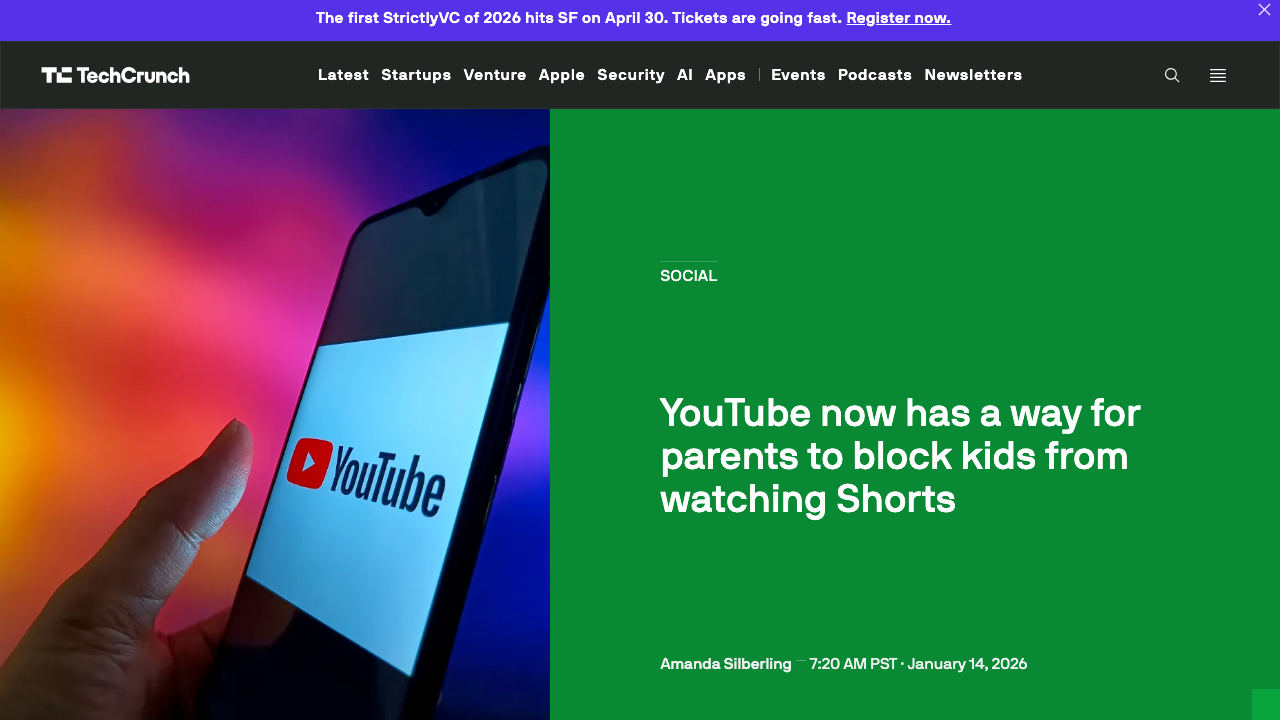
What YouTube actually shipped
The new control lives inside Google Family Link. If you supervise a teen's Google account through Family Link, you can:
- Set a daily time limit on YouTube Shorts, ranging from a couple of hours down to zero minutes.
- Set custom Bedtime and Take a Break reminders.
- Adjust the Shorts limit on the fly — zero during homework, higher on a car trip.
YouTube describes the zero-minute option in its announcement as "an industry-first feature that puts parents firmly in control of the amount of short-form content their kids watch." That is the press-release claim. Four things in YouTube's own documentation immediately narrow what "firmly in control" actually means.
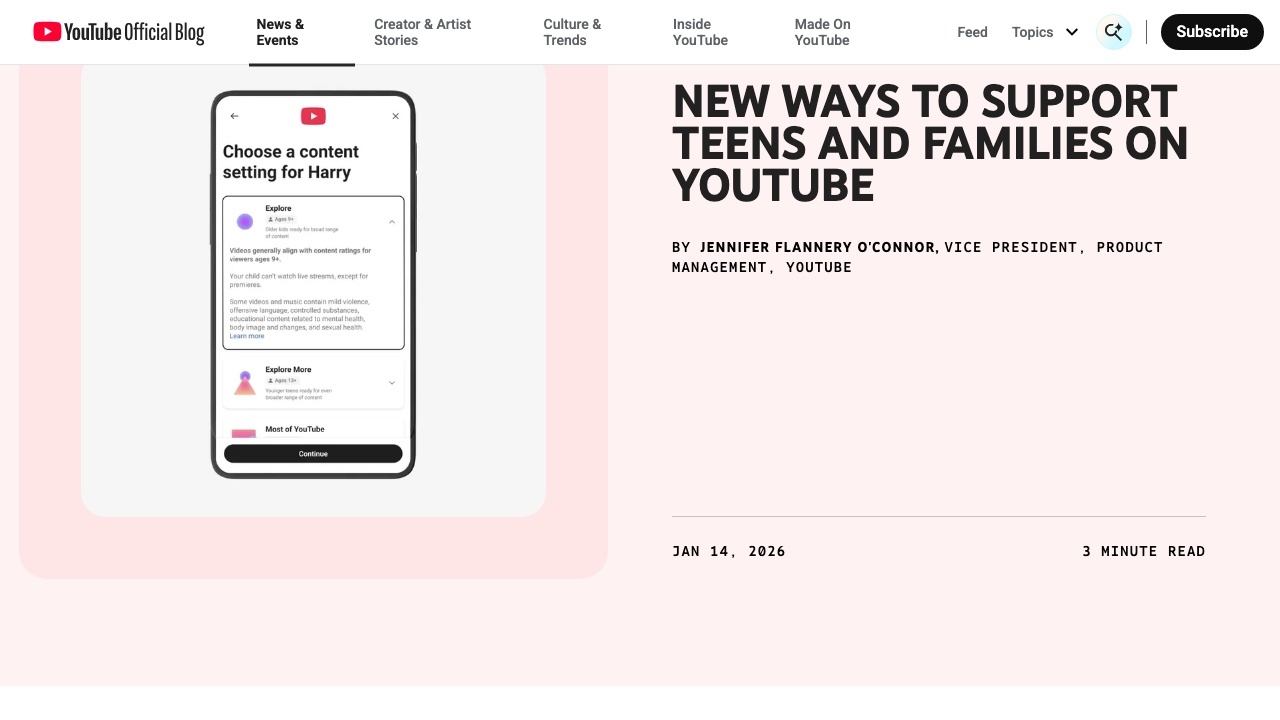
Asterisk 1: the teen can unilaterally turn supervision off
YouTube's own docs state it plainly: "Supervision can be removed at any point by a parent or a teen." Setting up a supervised teen account is a mutual agreement — "both the parent and teen will need to agree to link their accounts before supervision gets turned on" — and the teen keeps veto power for the life of the account. When they disable it, you get an email titled "Teen turned them off" and a bit of guidance: "We encourage you to keep talking to your teen about what they like to do on YouTube." No re-enrollment. No cooling-off period. No override. The feature binds only as long as the kid lets it.
Asterisk 2: the Shorts limit doesn't enforce on the web
The Shorts daily time limit only functions inside the YouTube mobile app. Open youtube.com in Safari, Chrome, Firefox, or any other browser — phone, tablet, laptop, desktop — and the limit does not apply. There is no web enforcement mechanism at all. Any kid who can open a browser tab bypasses the Shorts restriction entirely. This is a feature that satisfies "YouTube lets parents block Shorts!" in the press release while guaranteeing minimal impact on Shorts engagement metrics.
Asterisk 3: Family Link's device-level enforcement is Android only
The account-level YouTube settings travel with the account, but the device-level enforcement layer — daily screen time, app blocking, Chrome filtering, everything that makes Family Link's controls binding rather than advisory — only works on Android. Google cannot give Family Link the OS privileges Apple refuses to grant it, so on iPhones and iPads, Family Link device controls do not function. For roughly half the US market, the strongest piece of YouTube's enforcement stack simply isn't available.
Asterisk 4: YouTube itself hosts the bypass tutorials
Search YouTube for "STOP Parental Control on Google Family Link" and you'll find videos with hundreds of thousands of views teaching kids the exact workarounds. YouTube does not remove these videos — they don't violate community guidelines. The platform takes ad revenue from content that undermines its own parental safety features. This is the part of the story that tells you the incentives haven't changed.
Put the four asterisks together and the honest answer is: even in the best case — a 14-year-old Android user who hasn't yet revoked supervision and only uses the YouTube app — the limit binds. Change any of those variables and the limit leaks.
Who this update does not help
Read the eligibility criteria carefully and the picture changes. The new Shorts controls only work for supervised teen accounts (ages 13–17) managed through Google Family Link. That excludes:
Kids under 13. If your child is too young for a teen Google account, the new Shorts controls don't apply. You can still use Family Link to block YouTube entirely, but there's no way to keep regular YouTube available while removing only Shorts.
YouTube Kids users. The YouTube Kids app — the one specifically designed for younger children — still has no setting to disable, limit, or hide Shorts. None. Even on the strictest "Approved Content Only" mode, where you hand-pick every channel and video. A digital parenting writer called this gap "borderline criminal," and I think she's being charitable.
Shared-device users. If your kid watches on the family iPad signed into your account, on the smart TV in the living room, or on a sibling's phone, the supervised-account controls don't follow them. The control is account-level, not device-level.
Anyone not using Family Link. A lot of families never set up Family Link in the first place, especially for kids who don't have their own phones. If your child doesn't have a Google account that you're supervising through Family Link, this update changes nothing for you.
When you add up those exclusions, the population this actually helps is a fairly narrow slice of parents — the ones with teens who already have their own supervised Google accounts on their own devices. Which is a meaningful group. But it is not "parents." It is not even most parents who were asking for Shorts controls.
Why YouTube probably stopped here
I don't have inside information, but I can read the regulatory weather.
In March 2026, a California jury found YouTube liable for designing its platform to be addictive to children, in what one expert called "Big Tech's Big Tobacco moment." There are roughly 1,600 similar cases pending. State legislatures and the FTC have been circling Shorts and TikTok-style infinite-scroll formats for years.
The January 2026 update reads, to me, like the legally minimum-viable response. It gives YouTube a press release saying it added Shorts controls for kids. It does not threaten the engagement metrics on the formats YouTube depends on, because the affected population — supervised teen accounts — is small, and most of those accounts probably weren't watching unlimited Shorts anyway.
If YouTube actually believed Shorts were safe for younger children, the company would say so. It hasn't. It's just declined to give parents the toggle.
What to do if you have a kid this update doesn't cover
For teens 13+ with their own Google account, on Android, using only the YouTube app: Set up Family Link supervision, set Shorts daily limit to 0 minutes, and understand what that actually covers. It covers Shorts inside the YouTube app until your teen turns supervision off (which they can do, any time, with no parental override). It doesn't cover YouTube in a browser. If your teen is on an iPhone, Family Link device enforcement is not available and the protection is weaker still. This is the best YouTube offers. It is not the cleanest fix, because "clean" requires the kid can't opt out and there's no web escape hatch. Neither is true here.
For younger kids on YouTube Kids: There's no in-app fix. You're choosing between living with Shorts in YouTube Kids, blocking the YouTube Kids app entirely, or moving your kid to a curated alternative. I wrote the long version of this trade-off here: Can you disable Shorts in YouTube Kids?.
For younger kids on regular YouTube: Family Link can block YouTube entirely (Controls → App limits → block YouTube), but it's all-or-nothing. To keep useful YouTube content available without Shorts, you need an app that's built without Shorts in the first place. That's why I made VidCove — parents whitelist YouTube channels per child, kids watch in our app, and there's no algorithmic feed and no Shorts at all because the architecture doesn't include them.
For shared family devices: Either remove the YouTube app from the device and switch to a curated alternative, or restrict who can sign into YouTube on that device. The supervised-account control doesn't help if no one is signed into a supervised account.
For the full device-by-device walkthrough, the broader guide is here: How to block YouTube Shorts for kids in 2026.
Skip the partial fix.
VidCove is YouTube without Shorts, without the algorithm, and without the waiting for YouTube to ship a toggle. You pick the channels. Your kids watch.
Start Your Free Trial →The takeaway
YouTube shipped the smallest version of the feature that clears the headline. Teens can turn supervision off. The limit doesn't enforce on web. Family Link doesn't work on iOS. YouTube hosts the bypass videos. The people who most need a Shorts control — under-13s, YouTube Kids users, parents on iPhones, anyone without a teen's active cooperation — get nothing. This isn't a gap list. It is the shape of a company whose revenue depends on Shorts engagement shipping the least-binding version of a control that could have bound.
Five years of parent advocacy got us a feature the teen can disable in three taps. If that's the rate of progress, the right move for parents who don't want to wait another five years is to stop waiting.
Last updated April 2026. — Austin Nichols, founder of VidCove. VidCove is a curated YouTube app for kids with no algorithm, no Shorts, and per-child channel approval. Try it free for 7 days.